
Welcome to the most essential page for Animal Hospital (a Roblox horror game)—the Anomaly Guide. In this co-op survival horror game, you are the night-shift receptionist at a veterinary clinic. Among the 'animal patients' arriving for treatment are monsters disguised as animals, known as anomaly. Your job is to find discrepancies between the reception window, photos, CCTV, and medical records, letting in real patients while using the shutter to block out any anomaly, all while keeping your Sanity from hitting zero.
This page is a quick-reference guide for Animal Hospital anomalies, designed for beginners: we break down all clues for Roblox Animal Hospital anomalies across four detection layers, providing identification methods and countermeasures, while honestly noting where community data may conflict. Whether you are new to this 'spot the difference + horror' gameplay or looking to systematically complete your knowledge of all anomalies, this guide will show you how to spot anomalies.
What is an anomaly: Understanding the gameplay
In Animal Hospital, you are working the night shift at a veterinary clinic. Patients appear at the reception window one by one; most are ordinary animals, but some are monsters disguised as animals—this is an anomaly. Identifying and rejecting them is the core loop of the game.
The gameplay can be summarized as: Five Nights at Freddy's meets 'spot the difference', and you are the vet receptionist. It follows a psychological horror route—relying on 'slowly building unease' rather than frequent jumpscares, with a slow-burn pace. There is no end to the game; it is an endless mode: you survive as many Shift as possible, and the longer you live, the stronger you get.
For every patient, you have two basic actions: Accept (confirm it's a real patient and let them in for treatment) or Reject (confirm it's an anomaly and use the red shutter to block them). Making a mistake has consequences—letting an anomaly in threatens you and the clinic, while rejecting a real patient also brings penalties. Keep an eye on your Sanity meter in the corner of the screen; if it hits zero, it's game over.
This page only covers the anomalies themselves: what they look like, where they hide, how to identify them, and what to do once you do. For complete screening procedures, bait mechanics, and NPC characters (such as Ratthew, Barney, Officer Duckman), please refer to our How to Spot Anomalies and Characters pages.
How many anomalies are there?
The community generally counts 'about 14 types', but this number drifts with updates—the game is patched almost daily, and anomalies are frequently added or removed. At the same time, the authoritative Fandom wiki (animal-hospital.fandom.com) splits many 'clues' into independent entries, so you will get a higher count if you count by 'clues/discrepancies' rather than 'monster types'.
Therefore, please understand the total number of 'all anomalies' as an approximation, not a fixed, set number. This page uses the Fandom breakdown, listing every observable discrepancy by detection layer so you can compare them one by one. Community strategy videos often mispronounce or misspell anomaly names; if a name doesn't match, defer to the Fandom wiki.
This page lists 17 independent clues (7 visual + 4 photo + 6 CCTV), which correspond to the 'about 14 types' of anomalies in community terms—because some anomalies (like Twitching) appear across both 'visual' and 'CCTV' layers and are recorded separately. Numbers are version-dependent and not yet officially confirmed as definitive.
Four detection layers: Where anomalies hide
Anomalies don't just reveal themselves in one place. Animal Hospital spreads 'discrepancies' across four different detection layers; you must learn to check every layer rather than just staring at the window.
There is a rumor in the community about an 'audio' detection layer (identifying anomalies by sound), but the source is currently weak and unverified. This page mentions it only as a rumor; it is not recommended as a reliable method—please rely on the four confirmed layers: visual, photo, CCTV, and documentation.
Screening process: How to handle every patient
The most common mistake beginners make is to look at the window and make a decision. The correct approach is to follow a fixed procedure for every patient, checking layer by layer.
- Window/Naked eye check
Once a patient arrives at the window, scan them with your eyes first: check how many eyes they have, if they glow, if their teeth are sharp or human-like, if their posture is hunched, or if their head follows your movement. This layer catches the most visual anomalies.
- Take a photo to compare
Take a photo of the patient and compare the details in the photo with the actual entity in front of you. Pay attention to the shape and color of the eyes/ears, the presence of horns, or if there is static noise or a strangely realistic face. Note: Some photos are traps themselves (see "Cursed Photos" below, which will drain your Sanity).
- Check CCTV
Switch to the CCTV feed to look at the same patient again. Many flaws (elongated necks, pure black void bodies, staring at the camera) only appear on camera and are invisible at the window. Distortions on CCTV can sometimes re-randomize each time you reload, so checking twice is safer.
- Verify paperwork
Finally, check the medical records they submit: do the name, species, and appointment match? Are there any contradictions? Paperwork flaws are the "quietest," but they are often the final straw that breaks your judgment.
- Make a decision
As long as a single confirmed red flag appears in any layer, decisively pull down the shutter to reject them. Only if everything is clean should you let them through for the treatment minigame.
Visual Anomalies (visible to the naked eye at the window)
This type of anomaly can be caught with the naked eye at the reception window and is the first set beginners should memorize. Each card below provides typical tells and how to respond.
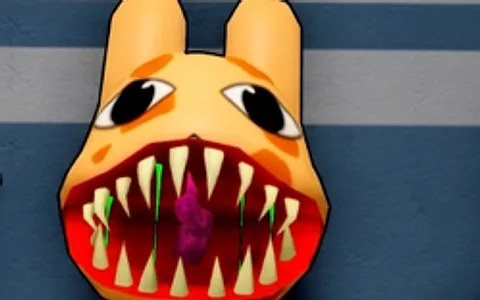
Wide Eyes & Sharp Teeth
- Distorted, unnatural smile
- Full set of sharp teeth
- Two glowing eyes
- Abnormally deep voice
Countermeasures:Confirm to reject: pull down the shutter
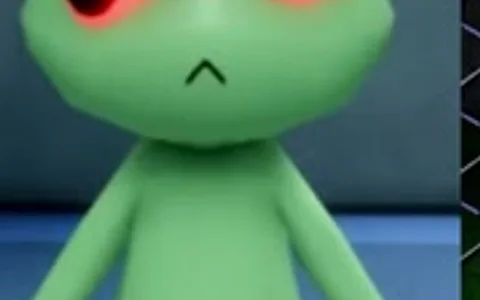
Three Eyes
- Three glowing red eyes
- The most cited "must be an anomaly" sign in the community
Countermeasures:Almost always an anomaly, reject immediately
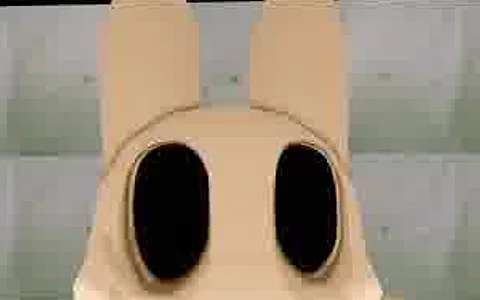
Hollow Face
- Pitch black, hollow eyes
- Constant twitching
Countermeasures:Generally reject
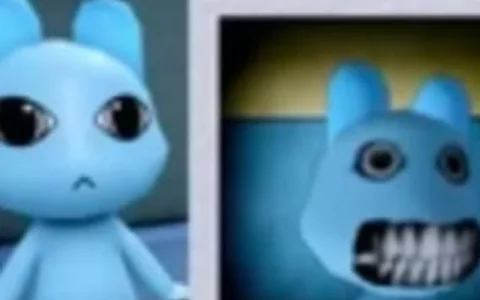
Unnatural Facial Appearance
- Smile looks like it was drawn on
- Has human teeth
- Two variants exist
Countermeasures:Reject
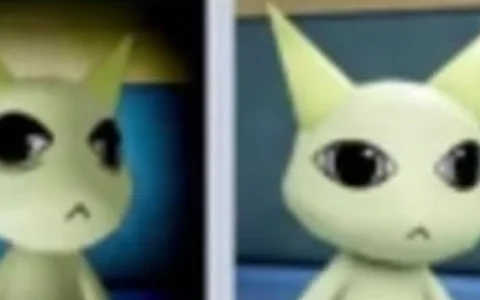
Twitching
- Arms and head twitch constantly
- Neck is abnormally elongated
- Sometimes only visible on CCTV
Countermeasures:Reject
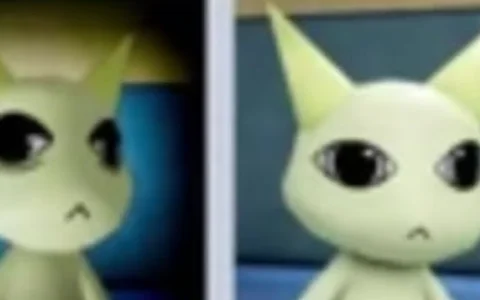
Staring at the Player
- Head constantly tracks your position
- Does not turn when you move behind it
Countermeasures:Use 'stand behind' to confirm, reject after confirmation
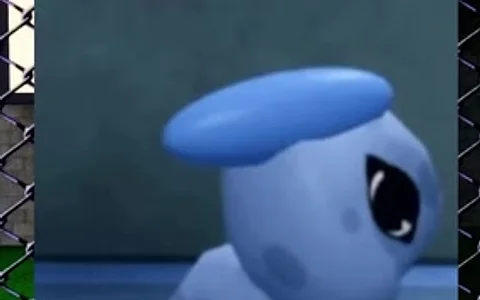
Hunched Posture
- Obvious hunched or stooped posture
- Rarely appears alone, usually with another clue
Countermeasures:Reject after cross-referencing with other clues
| Anomaly | Key Tell | Response |
|---|---|---|
| Wide Eyes & Sharp Teeth | Distorted smile + sharp teeth + glowing eyes + deep voice | Reject |
| Three Eyes | Three glowing red eyes | Reject (safest) |
| Hollow Face | Pitch-black hollow eyes, constant twitching | Reject (treating triggers a death ritual) |
| Unnatural Facial Appearance | Painted-on smile or human teeth (two variants) | Reject |
| Twitching | Arm and head twitching, elongated neck | Reject |
| Staring at the Player | Head tracks you, does not follow if you stand behind it | Reject |
| Hunched Posture | Hunched posture, usually appears with another clue | Reject after cross-referencing |
Photo Anomaly (must take a photo to reveal)
Some flaws cannot be seen through the window; you must take a photo and compare items one by one to catch them. This level tests your attention to detail, as changes are often very subtle.
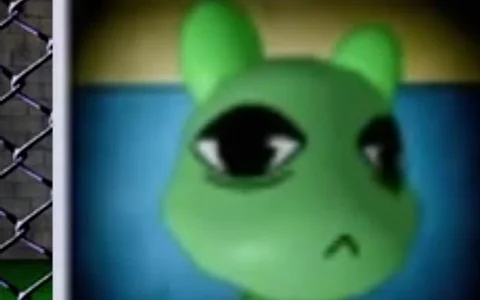
Incorrect Photo
- Eye or ear shape/color altered
- Horns added or one missing
- Photo does not match the patient
Countermeasures:Reject
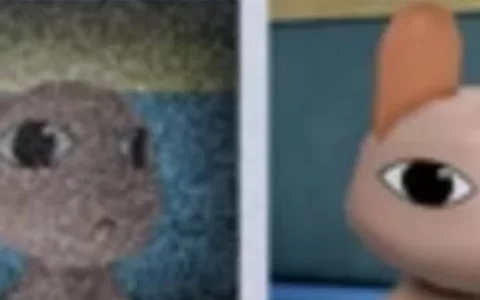
Unnatural Photo
- Creepy, overly realistic features that only appear in photos
- Looks normal in person, but wrong in the photo
Countermeasures:Reject
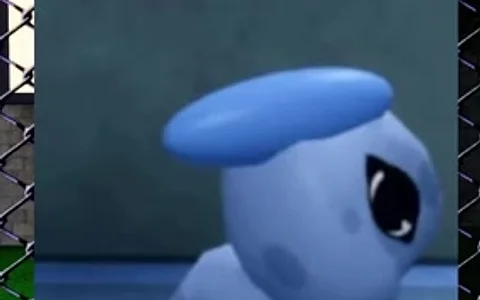
Static Photo
- Photo is full of grainy static noise
- Image is distorted and blurry
Countermeasures:Reject
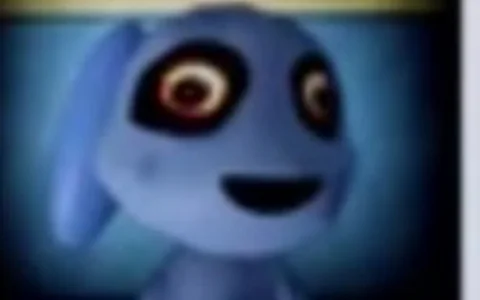
Cursed Photo
- Bloodshot eyes
- Unnaturally wide grin
Countermeasures:Reject
| Anomaly | Key Flaw | Sanity Cost | Response |
|---|---|---|---|
| Incorrect Photo | Changes in eye/ear shape or color, extra or missing horns | None | Reject |
| Unnatural Photo | Realistic creepy features that only appear in photos | None | Reject |
| Static Photo | Full of static noise | None | Reject |
| Cursed Photo | Bloodshot eyes + grinning | -10 Sanity | Reject |
CCTV Anomalies (CCTV exclusive)
The flaws in this set of Animal Anomaly only appear on the clinic's CCTV; the window and photo may look completely normal. Therefore, the step of 'checking CCTV' must never be skipped.
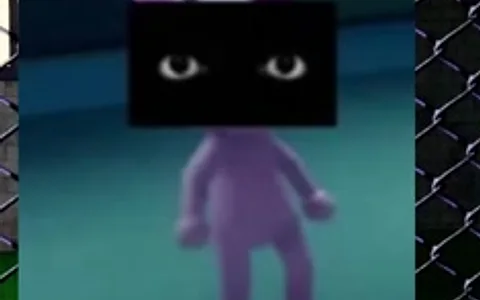
Black Eyes
- Eye area covered by a black band
- Looks like the eyes have been blacked out
Countermeasures:Reject
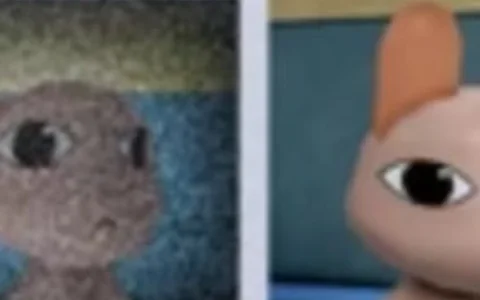
Unnatural Body
- Body is stretched or distorted
- Deformation randomizes every time you reopen the CCTV
Countermeasures:Reject
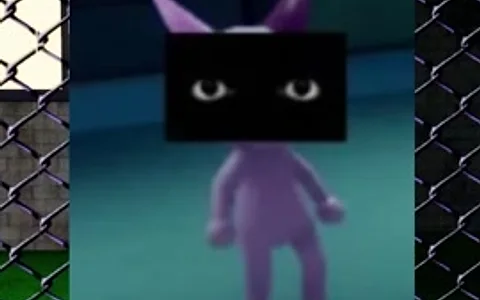
Staring at Camera
- Staring directly at the CCTV lens
- Keeps looking at the lens even while moving
Countermeasures:Reject
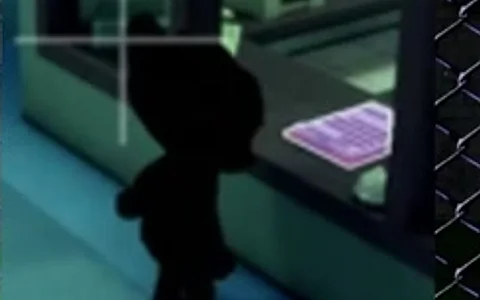
Void / Black
- Entire body and eyes are pitch black like a void
- Like a black shadow
Countermeasures:Reject
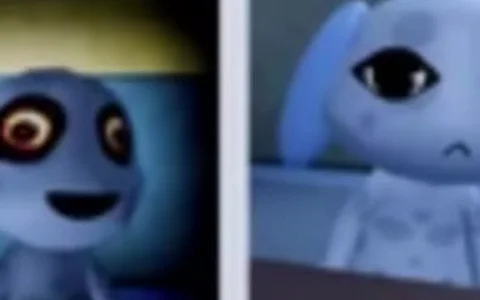
Twitching (cam)
- Version with an abnormally elongated neck
- Twitching on CCTV
Countermeasures:Reject
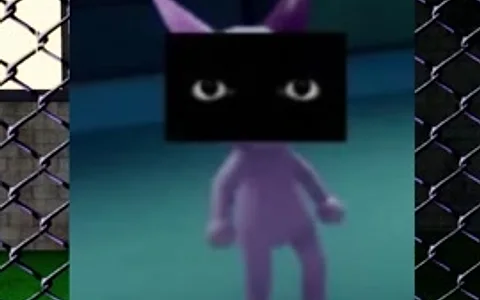
Skinwalker on cam
- Only appears as a Skinwalker on CCTV
- Looks like a normal animal at the window
Countermeasures:Reject
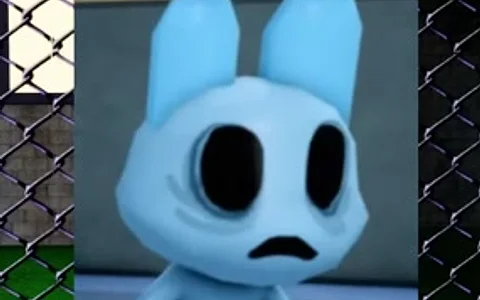
Different Ears
- Ears on CCTV differ from those at the window
- Shape/number do not match
Countermeasures:Reject
| Anomaly | Key tell | Countermeasure |
|---|---|---|
| Black Eyes | Eyes covered by a black band | Reject |
| Unnatural Body | Body is stretched and distorted; re-open CCTV to re-randomize | Reject |
| Staring at Camera | Still staring at the lens while moving | Reject |
| Void / Black | Entire body and eyes are pitch black void | Reject |
| Twitching (cam) | A version with an elongated neck that twitches | Reject |
| Skinwalker on cam | Only appears as a Skinwalker on CCTV | Reject |
| Different Ears | Ears do not match what is seen through the window | Reject |
Paperwork / Document Anomalies
The fourth layer of detection is paperwork: the medical records submitted by each patient—name, species, and appointment details. The flaws in paperwork anomalies manifest as inconsistencies or contradictions, such as the name not matching the species or scrambled appointment info. It isn't as visually stimulating as photos, but it is often the only clue for those anomalies that look normal but slip up on paper.
Beginners often let patients through because the window view looks fine, missing the paperwork layer. Build the habit: even if the first three layers are clean, check the medical record from start to finish. If any layer is confirmed to have an issue, the conclusion is the same—reject.
Treat 'Window → Photo → CCTV → Paperwork' as a fixed routine, and go through all four steps for every patient. Anomalies rarely disguise themselves perfectly across all layers—the more thoroughly you check, the lower the chance of being fooled.
Master List of Anomalies (Quick Reference Guide)
The table below summarizes all clues from this page into a printable quick reference guide. Note that Twitching appears across both 'Visual/CCTV' layers, so the number of individual clues (17) is higher than the community-cited 'approx. 14 types'.
| # | Anomaly Name | Detection Layer | Key Flaw | Action |
|---|---|---|---|---|
| 1 | Wide Eyes & Sharp Teeth | Visual | Distorted smile + sharp teeth + glowing eyes + deep voice | Reject |
| 2 | Three Eyes | Visual | Three glowing red eyes (the most frequently cited indicator of an Animal Anomaly) | Reject |
| 3 | Hollow Face | Visual | Pitch-black hollow eyes, constant twitching | Reject (Treating triggers a death ritual) |
| 4 | Unnatural Facial Appearance | Visual | Painted-on smile or human teeth (two variants) | Reject |
| 5 | Twitching | Visual / CCTV | Twitching arms and head, elongated neck | Reject |
| 6 | Staring at the Player | Visual | Head tracks you; does not follow if you stand behind it | Reject |
| 7 | Hunched Posture | Visual | Hunched posture, usually appears alongside another clue | Reject after cross-checking |
| 8 | Incorrect Photo | Photo | Changes in eye/ear shape or color, extra or missing horns | Reject |
| 9 | Unnatural Photo | Photo | Realistic anomaly features appearing only in the photo | Reject |
| 10 | Static Photo | Photo | Photo is full of static noise | Reject |
| 11 | Cursed Photo | Photo | Bloodshot eyes + grinning mouth (lose 10 Sanity upon pickup) | Reject |
| 12 | Black Eyes | CCTV | Black band covering the eyes | Reject |
| 13 | Unnatural Body | CCTV | Body is stretched or distorted, re-open CCTV to re-randomize | Reject |
| 14 | Staring at Camera | CCTV | Stares at the camera while moving | Reject |
| 15 | Void / Black | CCTV | Entire body and eyes are pitch black void | Reject |
| 16 | Skinwalker on cam | CCTV | Only appears as a Skinwalker on CCTV | Reject |
| 17 | Different Ears | CCTV | Ears are different from what is seen through the window | Reject |
How to spot anomalies
Memorizing clues is only the first step. What truly determines how long you survive is a stable judgment routine that isn't swayed by the atmosphere. Here are the core principles for beginners.
- Check layer by layer, don't just look at the window
Go through all four layers: window, photo, CCTV, and documents. Many anomalies only reveal themselves on CCTV or in photos—relying only on the window will inevitably lead to misses.
- Use the "stand behind" trick to confirm Staring types
If you suspect a patient has been staring at you, walk behind them: real patients won't eerily track you, and Staring at the Player types won't turn to follow you. This is one of the few techniques you can actively use to verify.
- Refresh the CCTV multiple times
Anomalies like Unnatural Body will re-randomize their deformation every time you reopen the CCTV. Don't just look once and close it; refresh it two or three times to make the distortion more obvious.
- Perform a line-by-line comparison of the photos
Align the eyes, ears, horns, fur color, and physical traits in the photo with the patient. Incorrect / Unnatural / Static Photo issues are only caught through this kind of detailed comparison.
- A single red flag is enough
You don't need to gather multiple pieces of evidence. As soon as a confirmed flaw appears on any layer, decisively close the shutter. Hesitation is often more fatal than a misjudgment.
This is a psychological horror game; the atmosphere will make you increasingly uncertain. However, delaying the review lowers efficiency and increases the risk of exposure. Remember the rule: Confirm and reject, or if in doubt, check another layer rather than just waiting. For a more detailed operational workflow, see How to Spot an Anomaly.
Decoys and misjudgments: These are not anomalies
The most common mistake for beginners isn't missing an anomaly, but getting scared by "decoys" and rejecting patients unnecessarily. Some scary phenomena in the game are just distractions and do not mean the patient is an anomaly.
One confirmed red flag = Reject. Conversely, the following "scary-looking" phenomena cannot be used to judge an anomaly on their own: slime on the floor, a fire in a room with people, etc. These are environmental decoys/events, not flaws in the patient. Distinguish them from true anomaly clues to avoid wrongly rejecting real patients.
These decoys are often tied to roaming enemies or random events and require a different set of responses (extinguishing fires, cleaning, avoiding), rather than making a judgment on the patient at the window. For specific event handling and NPCs like Ratthew (the mouse character) that cause interference, see the Characters page and the How to Spot an Anomaly page on the site—they contain a more complete list of decoys.
The core philosophy is simple: Strictly separate "environmental scares" from "patient flaws." The former tests your adaptability and nerves, while the latter is the only basis for deciding whether to let them in or reject them.
Sanity costs and risk points
Anomalies aren't just about "seeing" them; even if you identify some, the process of dealing with them can consume resources or pose risks. Keeping these costs in mind will help you make more cost-effective decisions.
Treat Sanity as your "health bar": avoid high-cost interactions if you can (like the Cursed Photo and treating Hollow Face), and save your Sanity for necessary reviews and survival actions. This page covers "identifying anomalies," while broader survival strategies like maintaining Sanity, purchasing Supplies, and dealing with roaming enemies are covered elsewhere on the site.
FAQ
Click to collapse / expand
How many anomalies are there in Animal Hospital?
The community generally counts about 14, but this is an approximation: the game is patched almost daily, and anomalies are added or removed; the official Fandom wiki breaks many flaws into separate entries, resulting in a higher count based on clues. This page lists 17 individual clues based on the Fandom breakdown. Treat the total as a number that drifts with version updates; don't memorize it as a fixed value.
Where do anomalies reveal themselves?
There are four detection layers: Visual (naked eye at the window), Photo (photo comparison), CCTV (security cameras), and Documents (medical records/paperwork). The same anomaly might only appear on one of these layers, so every patient should be checked across all four. There are also community rumors of an "auditory layer," but the source is weak and unverified; it is not recommended to rely on it.
Which anomaly is the easiest and most reliable to identify?
Three Eyes—three glowing red eyes, the most cited "must be an anomaly" sign by the community. Its reliability is extremely high; once identified, you can generally reject it immediately.
How do I confirm if a patient is staring at me?
Move behind it to observe. For anomalies like Staring at the Player, the head will track your position, but it won't turn if you stand behind it. This is one of the few tricks you can actively verify.
Why does it look different every time I check the CCTV?
That is likely an Unnatural Body: its body will be stretched/distorted on camera, and it will re-randomize every time you reopen the monitor. Don't just take one look; refresh it a few times. The distortion will become more obvious and easier to confirm.
Why shouldn't I touch the Cursed Photo?
Because picking up this photo costs 10 Sanity (Sanity -10). Its tell is bloodshot eyes and a wide grin—once identified, lower the shutter to reject it as soon as possible; don't keep touching it.
Isn't Hollow Face not necessarily hostile? Can I treat it?
Not recommended. Hollow Face (pitch-black hollow eyes, constant twitching) is indeed not always hostile, but if you attempt to treat it, you will trigger a Death Ritual. The risk far outweighs the reward, so the standard practice is to reject it immediately.
If I see slime on the floor or a fire in the room, does that mean it's an anomaly?
No. Dropped slime or fires in rooms are environmental lures/events; they do not inherently mean the patient at the window is an anomaly. Judge anomalies only by the confirmed tells on the patient. Lures require fire extinguishing, cleaning, or dodging—don't reject a real patient by mistake because of them.
Do I need to gather multiple pieces of evidence to reject?
No. The rule is that one confirmed red flag is enough to reject. If a clear tell appears on any layer (visual/photo/CCTV/documents), lower the shutter decisively. Excessive hesitation is often more dangerous than a misjudgment.
Why don't the anomaly names match across different guides?
Because many guide videos mispronounce or misspell the names. Please use the Fandom wiki (animal-hospital.fandom.com) as the standard—it is currently the most authoritative source of information. The names on this page also follow the Fandom terminology.
What is the difference between a Skinwalker and a regular anomaly?
In the context of this page, Skin Walker on cam refers to an anomaly that only appears as a Skinwalker on CCTV, while looking like a normal animal at the window. Its tells are hidden entirely in the CCTV layer, so the step of "checking the monitor" is crucial for catching Skinwalkers.
After identifying an anomaly, what is the top priority to protect?
Your Sanity. It is your health bar—once it hits zero, the game ends immediately. Keep your Sanity above 0 throughout the shift; avoid high-cost interactions whenever possible (like the Cursed Photo or treating a Hollow Face), and save your Sanity for essential screening and survival actions.